

Legal and Security
Digital Vault
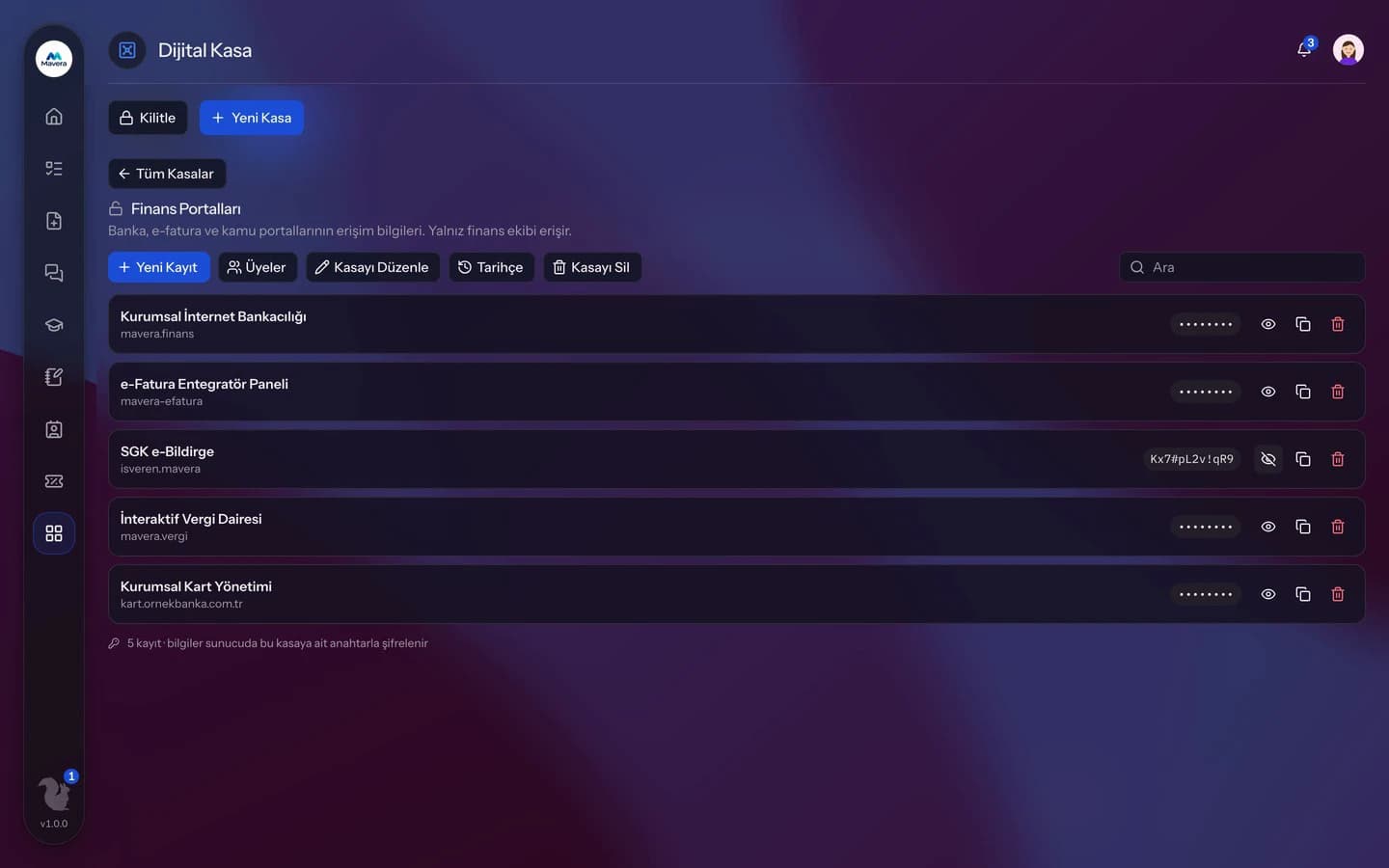
The team's passwords and secrets live in shared vaults; content is encrypted on the server with a separate key per vault, and vaults open with the two-step verification code used to sign in.
Digital Vault
How It Works
Set up two-step verification
In your account settings, scan the QR code with an authenticator app and confirm the code.
Create a vault
Create a shared vault and add members.
Unlock with a code
Open the vault with a 6-digit code, then add and view entries.
Features
What You Can Do
- Create vaults shared with your team.
- Keep a title, username, password, address and note in each entry.
- Content is encrypted on the server with AES-256-GCM and a separate key per vault.
- The vault opens with the two-step verification code you use to sign in; no separate setup is needed.
- Vaults lock automatically after 15 minutes of inactivity.
- Passwords are hidden in lists; every reveal and copy is logged.
- See access and changes in the vault history.
- Add and remove members and appoint vault managers.
- If you lose your authenticator, sign in with a backup code and set up two-step verification again.
Common Questions
In Kolekto's Digital Vault module, passwords stay hidden in the list, and every time a password or secret field is revealed, the vault history records who viewed which item. The history also shows items being added, changed and deleted and members being added and removed, and it is visible to the vault's admins.
In Kolekto's Digital Vault module, vaults open with the authenticator code used for the account's two-step verification. If the authenticator is lost, the user signs in with one of their backup codes and sets up two-step verification again in account settings; when the organization requires two-step verification, the organization admin performs the reset. Once the new authenticator is set up, vaults open with the new code.
Tenant isolation is enforced in three layers: every query is scoped to the organization and that rule is verified by automated checks before releases; files live in a fully private bucket and are served only through short-lived signed links after an authorization check; file paths are separated per organization too. On top of that: role-based access, hashed session tokens and an audit trail for critical actions. Internal communication messages are stored encrypted on the server; the organization chooses whether conversations are auditable from the admin panel or private.
Access is role-based: only those with HR module permission see employee records, and every employee can access their own. Critical actions are written to the audit log, so who viewed and changed what is traceable.
The company admin manages the whole organization; all other permissions are granted per module. Each employee gets an admin or user role per module. The HR admin can't see inventory, the inventory manager can't see personnel files.
Start running your company from one place.
In the demo call we agree on your needs and the modules to enable.
Request a DemoContact Us