

Communication
Directory Management
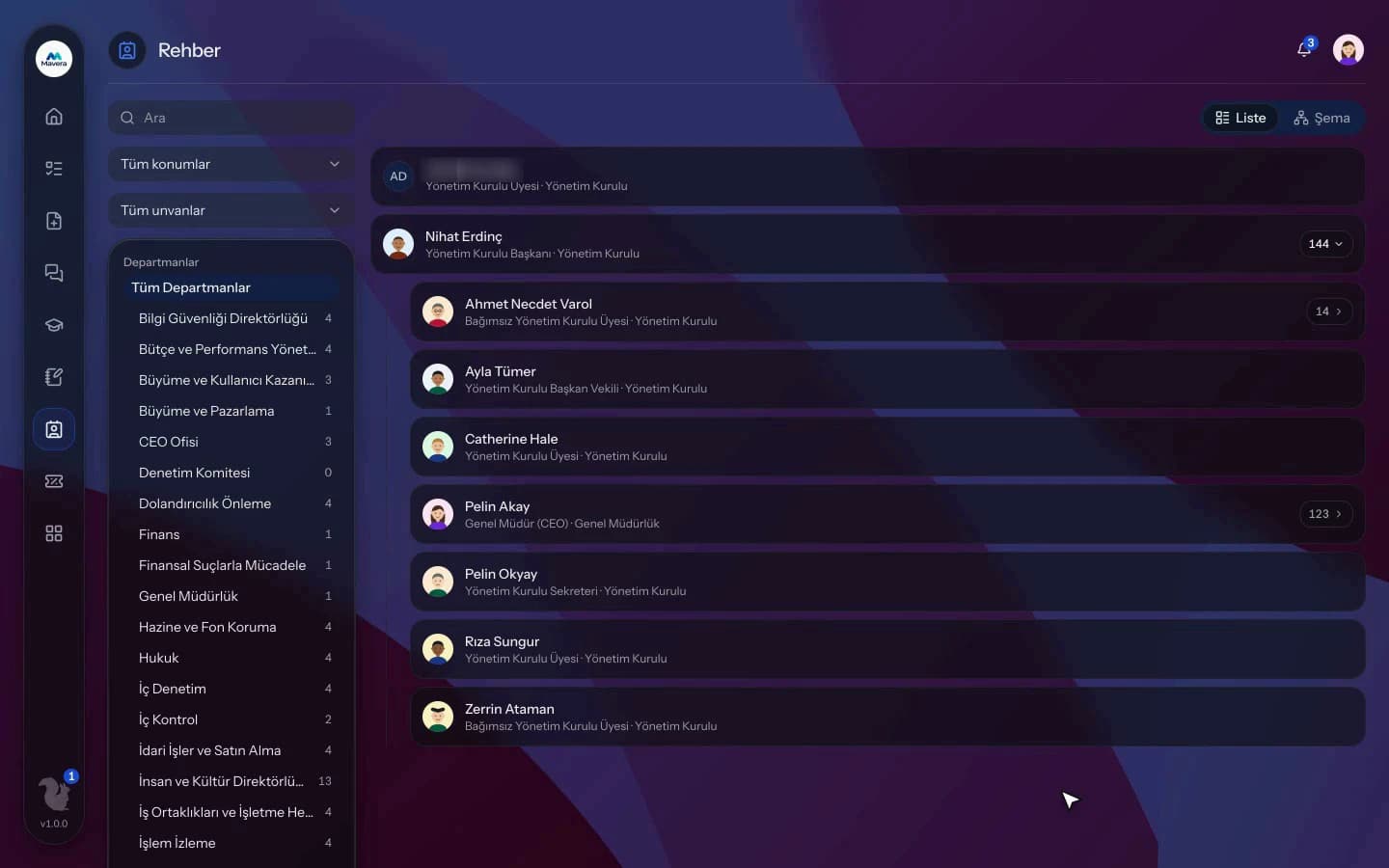
Employees' work contact details, the org chart and people cards; the organization decides which card fields are shown and personal mobiles are hidden by default.
Directory Management
How It Works
Details come from HR
Work phone, extension, company mobile and location are read from the employee record.
Set visibility
Choose which card fields are visible; personal mobiles are hidden by default.
Everyone finds people
Employees search, browse the chart, open cards and download vCards.
Features
What You Can Do
- Search by name, title, department and skill, insensitive to Turkish characters.
- Filter by department, location and title.
- Browse the org chart and department pages.
- People cards show the manager, direct reports and leave status.
- Download a card as a vCard or send the person a message.
- Add people to favorites.
- Managers choose which card fields are visible; hidden fields stay out of search and exports too.
- Personal mobile numbers are hidden by default.
- Contact details can be edited, optionally with an approval step.
- Employees edit their own "About me" text and birthday sharing.
Common Questions
In Kolekto's Directory Management module, personal mobile numbers are hidden by default and do not appear on the contact card unless a directory admin turns them on. The admin chooses which card fields are hidden, and hidden fields are also left out of exported lists.
In Kolekto's Directory Management module, work phone, extension, company mobile, office location and personal mobile can be edited by users with directory user rights. Changes apply immediately by default, and the organization can add an approval step for them in Process Management. Only directory admins can hide an employee from the directory entirely.
Access is role-based: only those with HR module permission see employee records, and every employee can access their own. Critical actions are written to the audit log, so who viewed and changed what is traceable.
Kolekto runs in the browser and is fully responsive; use it from phone, tablet or desktop with no installation. Employees open leave requests from their phone, managers approve from theirs.
Yes. A user can belong to multiple organizations and switch between them with a single sign-in. Each organization's data, permissions and parameters are fully separate.
Start running your company from one place.
In the demo call we agree on your needs and the modules to enable.
Request a DemoContact Us