

People and Culture
Human Resources
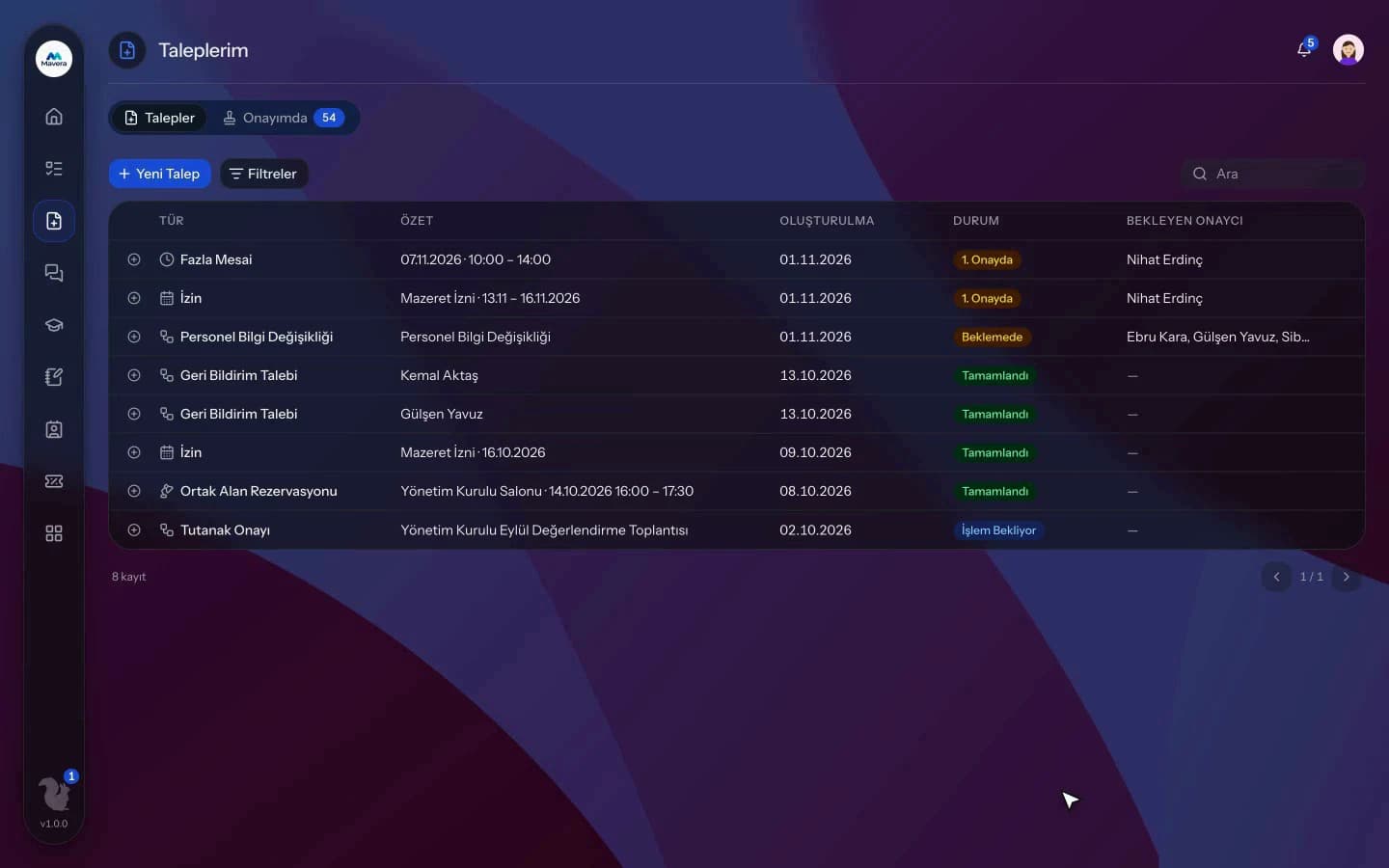
Personnel files, documents, leave, overtime, shifts and hybrid work in one record; requests go through approval and critical dates are flagged in advance.
Human Resources
How It Works
Add employees
Invite them or bulk import from CSV, then complete the personnel card and documents.
Requests get approved
Employees request leave, overtime, shift changes or profile updates; each request goes through approval.
HR keeps track
HR follows the dashboard and critical date reminders and uses the exit checklist when someone leaves.
Features
What You Can Do
- The personnel card holds personal, family, education, experience and certificate details plus your own custom fields.
- Define document types and upload personnel documents; expiring documents warn before they lapse.
- Take full-day, half-day or hourly leave; balances are calculated from your seniority table.
- The department leave calendar is visible when entering and approving leave; colleagues do not see the leave type.
- Generate a leave reconciliation document (PDF) for an employee over a date range.
- If an overtime request would exceed the 270-hour annual limit, the requester is warned when submitting it.
- Define fixed or rotating schedules and night shifts; employees can request shift swaps.
- Define work arrangements (office, hybrid, remote); employees check in by scanning the office QR code.
- Profile change requests apply after approval; IBAN changes need HR manager approval.
- On exit, a checklist shows unreturned assets, pending approvals and open requests, and module permissions are closed.
Common Questions
In Kolekto's Human Resources module, annual leave entitlement is calculated from a seniority-to-days table that your organization defines; a template based on Turkish Labour Law No. 4857 comes ready with its seniority tiers and age rule. A setting below the legal minimum is saved only with explicit confirmation, unpaid leave is deducted from seniority by default, and carryover can be unlimited, capped or manual.
When you record an exit in Kolekto's Human Resources module, a checklist shows unreturned assets, the employee's open requests, requests waiting for their approval and their vault memberships. With open assets or pending approvals the exit is saved only after explicit acknowledgement, and once the exit is applied the employee's module permissions are closed.
Each organization designs its own approval flows in Process Management: approval, task, notification and escalation steps are laid out per request type in the drag-and-drop designer, with no limit on the number of levels. Approvers are derived from the org chart: the reporting line, the department head, a title holder or a permission chain. If an approver is on leave, their delegate, their manager or a backup approver steps in; an overdue step is escalated by its SLA rule. Every step shows in the progress indicator and in the user activity log.
Access is role-based: only those with HR module permission see employee records, and every employee can access their own. Critical actions are written to the audit log, so who viewed and changed what is traceable.
We migrate your employee list and org structure with you during onboarding, and employees join by email invitation. In CRM you can also import companies and contacts from a CSV yourself: map your columns to fields, preview the rows and skip duplicates.
Start running your company from one place.
In the demo call we agree on your needs and the modules to enable.
Request a DemoContact Us