

Finance and Sales
Accounting
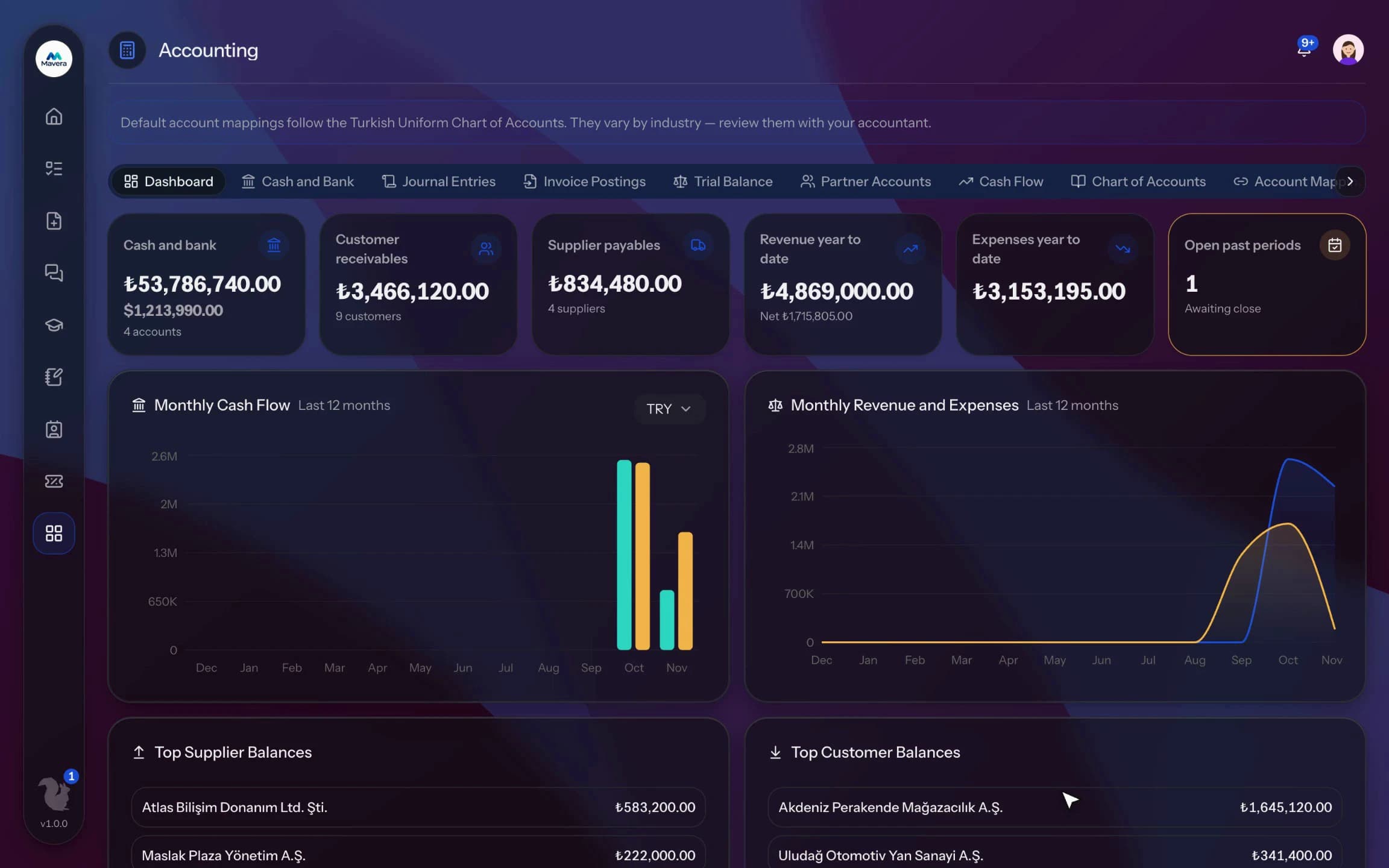
Vouchers, cash and bank, trial balance and statements on the Turkish uniform chart of accounts; requests and invoices become vouchers and accountants follow along on their own dashboard.
Accounting
How It Works
Set up the chart
The uniform chart of accounts and default mappings are created in one click.
Record
Enter vouchers and cash and bank movements; post incoming invoices from the queue.
Close and export
Close the period and export vouchers to your accountant's software.
Features
What You Can Do
- Set up the Turkish uniform chart of accounts in one click.
- Issue journal vouchers; debit and credit balance is checked to the cent.
- Record movements and transfers on cash and bank accounts.
- See the trial balance, account statements and monthly cash flow.
- Close periods; no vouchers can be issued in a closed period.
- Export vouchers for Luca or as a general journal file.
- Incoming invoices wait in an invoice posting queue with a suggested account.
- Supplier and item rules automate account selection.
- Invite your accountant by email; they only see Accounting and e-Documents and use no seat.
- The Client Dashboard shows pending work across all organizations the accountant serves.
Common Questions
Yes, in Kolekto's Accounting module the Turkish Uniform Chart of Accounts (Tek Düzen Hesap Planı) is set up in a single step by the module admin, along with default mappings such as cash (100), bank (102), trade receivables (120), trade payables (320) and the VAT accounts. Standard accounts missing from the chart can be added later with a sync.
Kolekto's Accounting module exports the entries in a chosen date range as CSV in Luca format, with entry no, entry date, document no, document date, account code, account name, description, debit and credit columns; each file holds up to 50 entries and larger exports are split across several files. The same entries can also be downloaded as a general journal file.
The e-Documents module works with Uyumsoft; each organization connects its own Uyumsoft account. e-Invoices, e-Archive invoices, e-Despatch notes and e-SMM are issued in the same module; incoming invoices are fetched automatically, commercial invoices can be accepted or rejected and invoices are posted to Accounting as vouchers.
The company admin manages the whole organization; all other permissions are granted per module. Each employee gets an admin or user role per module. The HR admin can't see inventory, the inventory manager can't see personnel files.
Yes. A user can belong to multiple organizations and switch between them with a single sign-in. Each organization's data, permissions and parameters are fully separate.
Start running your company from one place.
In the demo call we agree on your needs and the modules to enable.
Request a DemoContact Us