

Legal and Security
Contract Management
Contracts go through approval and signing and take effect when the signed copy is uploaded; deadlines, obligations and notice dates trigger reminders.
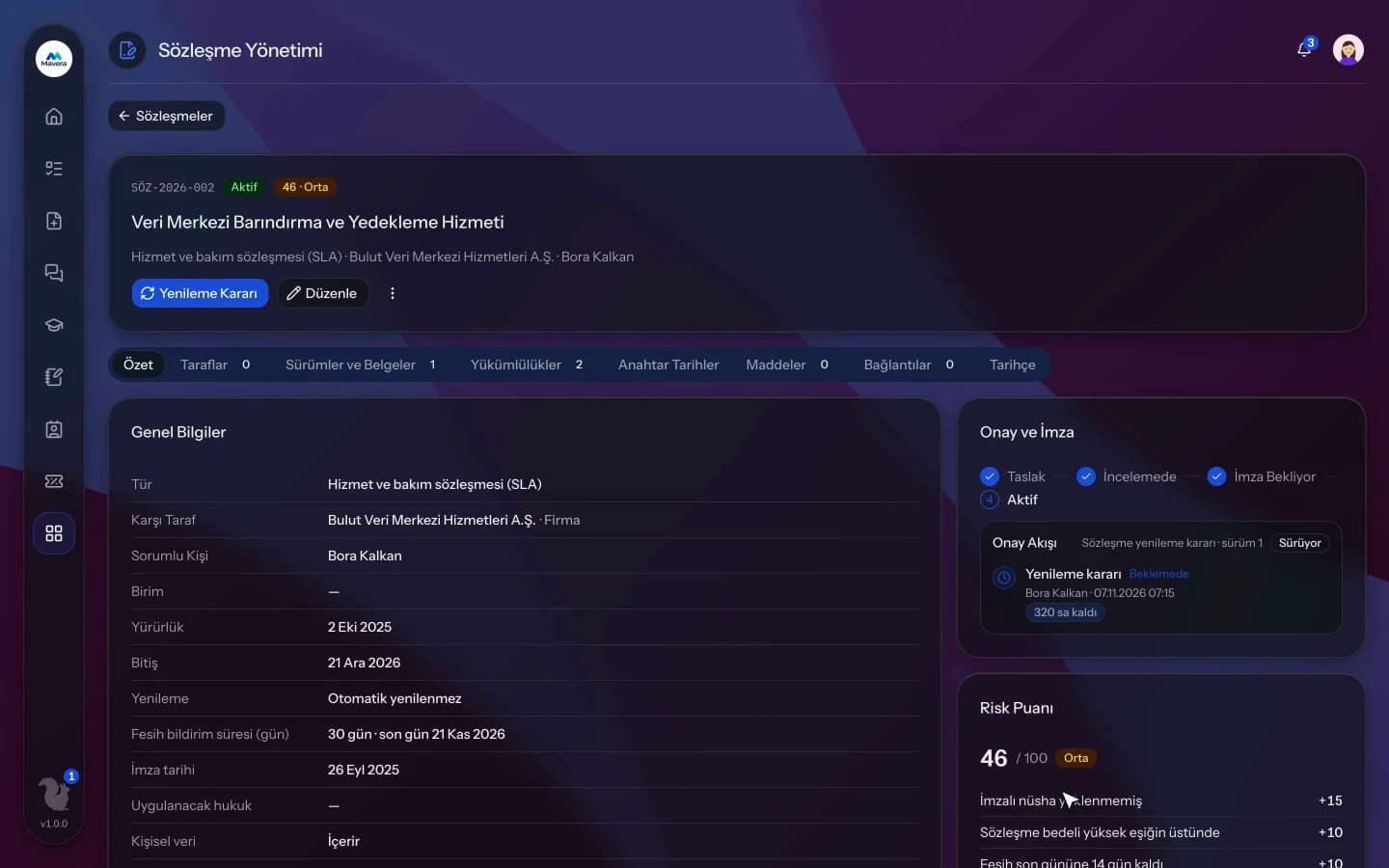
Contract Management
How It Works
Record
Create the contract with type, parties and dates, or scan and upload the signed copy.
Approve and sign
The contract goes through approval and takes effect when the signed copy is uploaded.
Monitor
Key dates, obligations, renewals and termination are tracked with reminders.
Features
What You Can Do
- Open contracts from a type catalog and set your own numbering format.
- Contracts go to approval, then signing, and take effect once the signed copy is uploaded.
- Scan a wet-signed copy with your phone camera and upload it as one PDF.
- Text is extracted from scanned documents and becomes searchable.
- Get reminders as expiry and termination notice deadlines approach.
- Run renewal, renegotiation and termination steps.
- Track obligations such as payments and deliveries with due dates.
- Keep a clause library and flag non-standard clauses.
- See a rule-based risk score and level.
- Import contracts from CSV or Excel, export to CSV and produce period reports.
Common Questions
Kolekto's Contract Management module checks end dates, termination notice deadlines and other key dates every morning, and for contracts with an assigned owner it sends reminders at the day thresholds the organization sets. If a termination notice deadline is missed, that is notified separately.
In Kolekto's Contract Management module, a contract marked for auto-renewal is extended once its end date passes, unless a termination decision has been made, by its defined renewal period or by 12 months if none is set. If auto-renewal is not marked, the contract moves to expired and its owner is notified.
Each organization designs its own approval flows in Process Management: approval, task, notification and escalation steps are laid out per request type in the drag-and-drop designer, with no limit on the number of levels. Approvers are derived from the org chart: the reporting line, the department head, a title holder or a permission chain. If an approver is on leave, their delegate, their manager or a backup approver steps in; an overdue step is escalated by its SLA rule. Every step shows in the progress indicator and in the user activity log.
We migrate your employee list and org structure with you during onboarding, and employees join by email invitation. In CRM you can also import companies and contacts from a CSV yourself: map your columns to fields, preview the rows and skip duplicates.
Access is role-based: only those with HR module permission see employee records, and every employee can access their own. Critical actions are written to the audit log, so who viewed and changed what is traceable.
Start running your company from one place.
In the demo call we agree on your needs and the modules to enable.
Request a DemoContact Us