
Finance and Sales
e-Documents
e-Invoice, e-Archive, e-Despatch and e-SMM through your organization's own Uyumsoft account; incoming invoices are fetched automatically and invoices are posted to Accounting as vouchers.
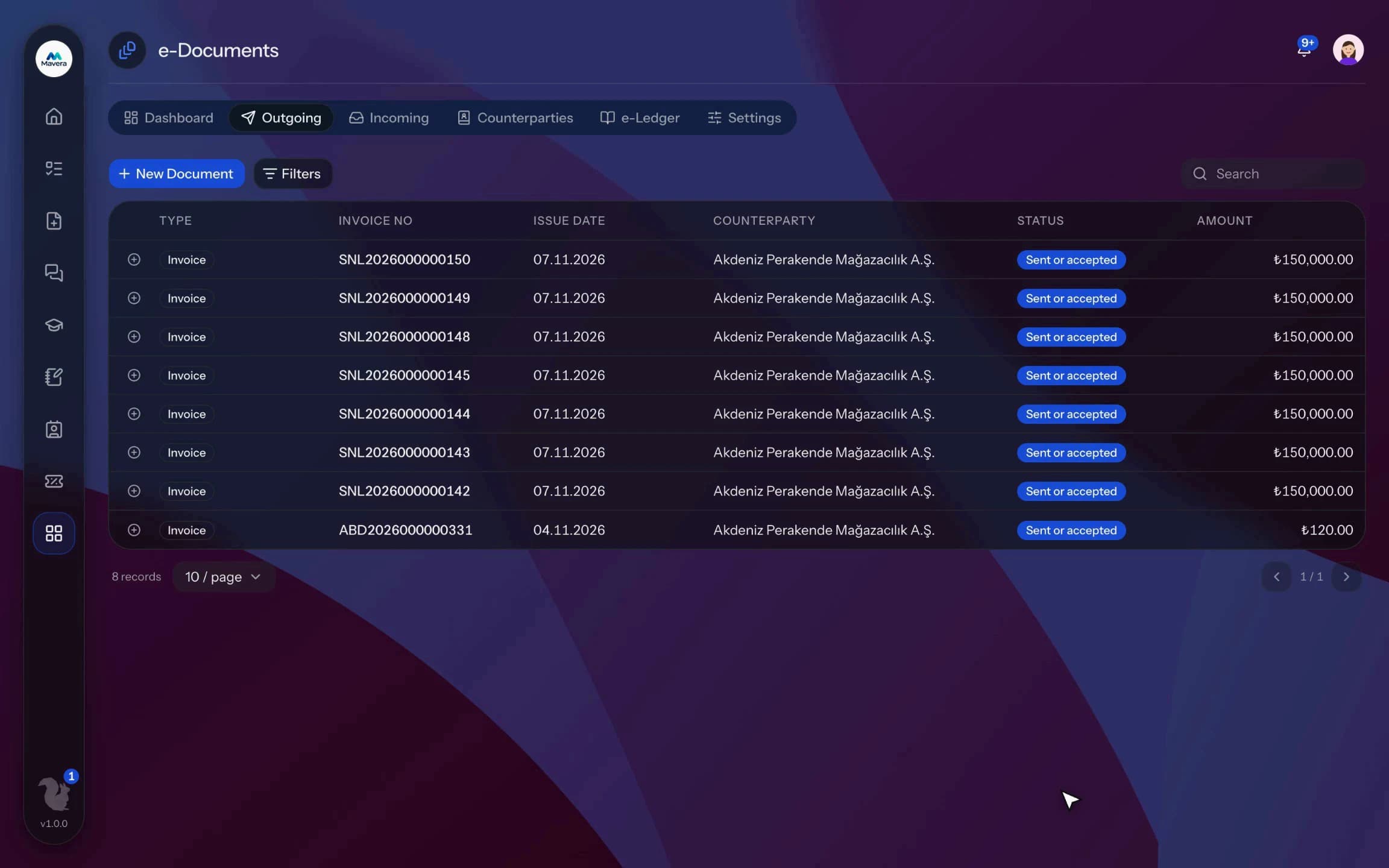
e-Documents
How It Works
Connect
Enter your organization's Uyumsoft account and confirm the taxpayer profile; only the document types you need are enabled.
Prepare and send
Draft and validate the document; optionally put sending behind an approval step in the process designer.
Track and record
Follow the status, answer incoming invoices and post them to accounting.
Features
What You Can Do
- Each organization connects its own Uyumsoft account; the password is stored encrypted and the connection can be tested.
- Prepare invoices in a document-style editor; if the buyer is not an e-Invoice user, it goes out as e-Archive.
- VAT, withholding and exemption codes are checked line by line for sales, return, withholding and exempt invoices.
- Validate and preview before sending; sending can require an approval step.
- Outgoing document status is refreshed regularly and the PDF can be downloaded; e-Archive invoices can be cancelled within 8 days.
- Incoming invoices arrive automatically or with Fetch Incoming; accept or reject commercial invoices within 8 days.
- With Accounting enabled, sent invoices are posted as journal vouchers automatically; incoming ones wait in a posting queue with a suggested account, or post on acceptance when a supplier rule exists.
- Look up taxpayers by tax ID on party cards and link them to customer records.
- Issue e-Despatch notes and e-SMM; a draft invoice can be opened from a despatch note.
- The dashboard shows drafts, documents awaiting approval, failed ones, incoming invoices awaiting a reply and this month's totals.
Common Questions
Yes. In Kolekto's e-Documents module you accept or reject a commercial invoice within 8 days of its invoice date; once that window has passed, it can no longer be rejected. Invoices issued under the basic invoice scenario cannot be rejected.
Kolekto's e-Documents module checks at sending time whether the buyer is registered for e-Invoice; if not, the document goes out as an e-Archive invoice with the e-Archive series prefix. For online sales the buyer's email address is required for e-Archive, and a sent e-Archive invoice can be cancelled within 8 days.
The e-Documents module works with Uyumsoft; each organization connects its own Uyumsoft account. e-Invoices, e-Archive invoices, e-Despatch notes and e-SMM are issued in the same module; incoming invoices are fetched automatically, commercial invoices can be accepted or rejected and invoices are posted to Accounting as vouchers.
Tenant isolation is enforced in three layers: every query is scoped to the organization and that rule is verified by automated checks before releases; files live in a fully private bucket and are served only through short-lived signed links after an authorization check; file paths are separated per organization too. On top of that: role-based access, hashed session tokens and an audit trail for critical actions. Internal communication messages are stored encrypted on the server; the organization chooses whether conversations are auditable from the admin panel or private.
The company admin manages the whole organization; all other permissions are granted per module. Each employee gets an admin or user role per module. The HR admin can't see inventory, the inventory manager can't see personnel files.
Start running your company from one place.
In the demo call we agree on your needs and the modules to enable.
Request a DemoContact Us