

People and Culture
Attendance Management
Card reader records are imported from CSV and the timesheet combines leave and holidays; legal limit breaches are flagged as exceptions and the period is locked.
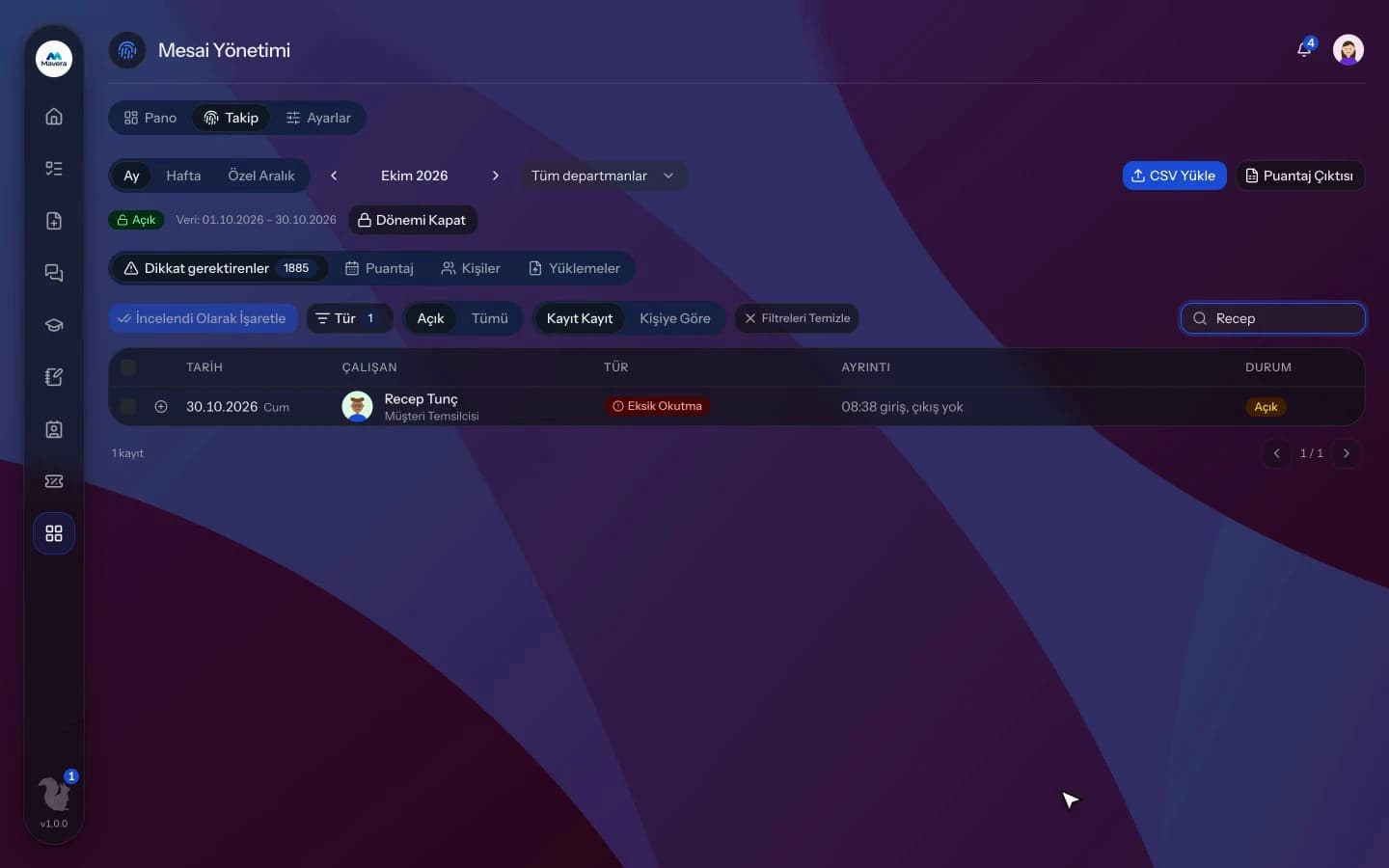
Attendance Management
How It Works
Upload the CSV
Pick the card reader export, map the columns, preview and import.
Review exceptions
Justify or correct late arrivals, absences and legal limit breaches.
Lock the period
Export the timesheet; when the month is locked, its summary is preserved.
Features
What You Can Do
- Import card reader CSVs with column mapping and a preview; Turkish Excel exports are read too.
- Undo a wrong import in one click.
- The timesheet combines leave, public holidays and approved overtime.
- 12 exception types are detected automatically, including missed punches, absences, late arrivals and 11-hour daily and 45-hour weekly breaches.
- Mark exceptions as reviewed in bulk or add a justification.
- Correct punches with a reason; the original value is kept and the employee is notified.
- Nobody can correct their own record.
- The 270-hour annual overtime limit is tracked with an adjustable warning threshold.
- Night shifts and shift rotations are taken into account.
- Lock the month and export the timesheet and per-person daily detail as CSV.
Common Questions
In Kolekto's Attendance Management module you upload the card reader export as a CSV file; after mapping the employee number and check-in columns and previewing, the records are imported. UTF-8 and Turkish Windows-encoded files are read, a single file can hold up to 50,000 rows, and a faulty upload can be reverted later.
Yes. In Kolekto's Attendance Management module you export the timesheet as a CSV with columns for weekly rest day and public holiday work, 50% overtime, 25% extended hours and missing days. Days over 11 hours and weeks over 45 hours are also flagged as exceptions, and when the month is locked its summary is stored.
Each organization designs its own approval flows in Process Management: approval, task, notification and escalation steps are laid out per request type in the drag-and-drop designer, with no limit on the number of levels. Approvers are derived from the org chart: the reporting line, the department head, a title holder or a permission chain. If an approver is on leave, their delegate, their manager or a backup approver steps in; an overdue step is escalated by its SLA rule. Every step shows in the progress indicator and in the user activity log.
We migrate your employee list and org structure with you during onboarding, and employees join by email invitation. In CRM you can also import companies and contacts from a CSV yourself: map your columns to fields, preview the rows and skip duplicates.
Pending approvals, resolved requests and new assignments are delivered both in-app and by email. Employees track the stage of their request from their panel.
Start running your company from one place.
In the demo call we agree on your needs and the modules to enable.
Request a DemoContact Us