

Finance and Sales
Customer Management
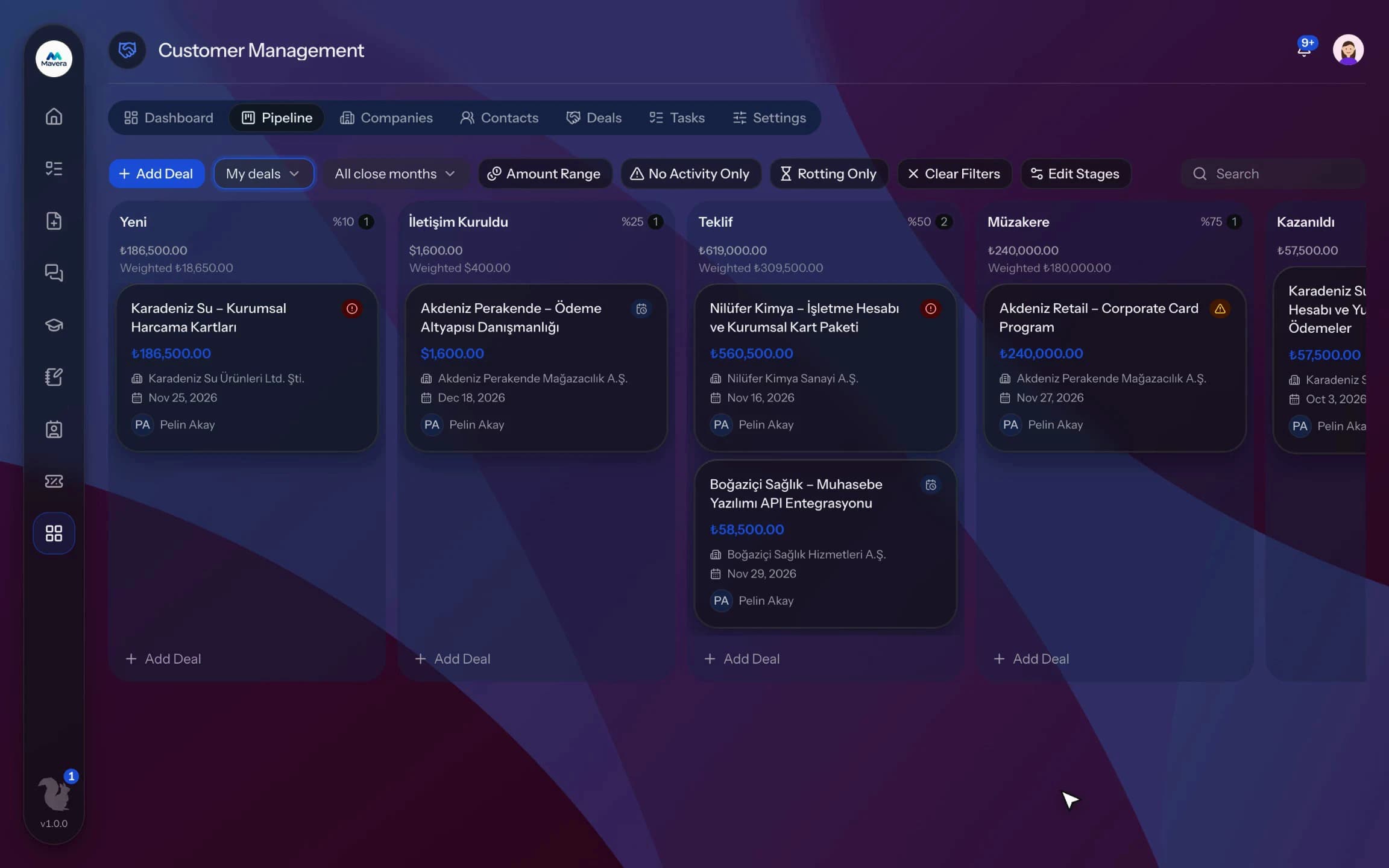
Companies, contacts and deals in one place; drag deals through the pipeline, stalled ones are flagged and sales knowledge stays with the organization.
Customer Management
How It Works
Collect records
Enter companies and contacts by hand, import them from CSV or receive them as leads from a web form.
Move deals forward
Drag deals from stage to stage in the pipeline.
Follow up and close
Track with tasks and activities and close deals as won or lost.
Features
What You Can Do
- Manage companies, contacts and deals in one place.
- Move deals between stages on a drag-and-drop pipeline.
- Run several pipelines with stage probabilities and waiting limits.
- Deals that stall or keep slipping are flagged.
- Records from a web form or webhook open as leads.
- Import companies and contacts from CSV; duplicates are skipped.
- Keep notes, tasks, calls, meetings and emails on a timeline.
- Owners get a reminder when a task is due.
- Track win rate, the monthly target and the stage funnel on the dashboard.
- Record loss reasons, reassign owners in bulk and export lists to CSV.
Common Questions
In Kolekto's Customer Management module, submissions from the public lead form or sent with an API key are created as lead contacts; if the email address is already on file no new record is created, and if the company name matches exactly one company the contact is linked to it. In the default process, the CRM team is notified of each new lead in the app and by email.
In Kolekto's Customer Management module, each pipeline stage can have an idle limit in days; once an open opportunity has gone longer than that limit since its last activity, it is flagged as stalled. The number of times an opportunity's expected close date has been pushed back is also recorded.
Yes. CRM holds companies and contacts, and you move deals along a drag-and-drop pipeline. Each stage shows its total amount per currency; won and lost deals stay on the board for a while. Tasks are assigned to people and listed on their home page. Documents can be attached to company and contact records.
We migrate your employee list and org structure with you during onboarding, and employees join by email invitation. In CRM you can also import companies and contacts from a CSV yourself: map your columns to fields, preview the rows and skip duplicates.
Access is role-based: only those with HR module permission see employee records, and every employee can access their own. Critical actions are written to the audit log, so who viewed and changed what is traceable.
Start running your company from one place.
In the demo call we agree on your needs and the modules to enable.
Request a DemoContact Us