

Operations
Inventory Management
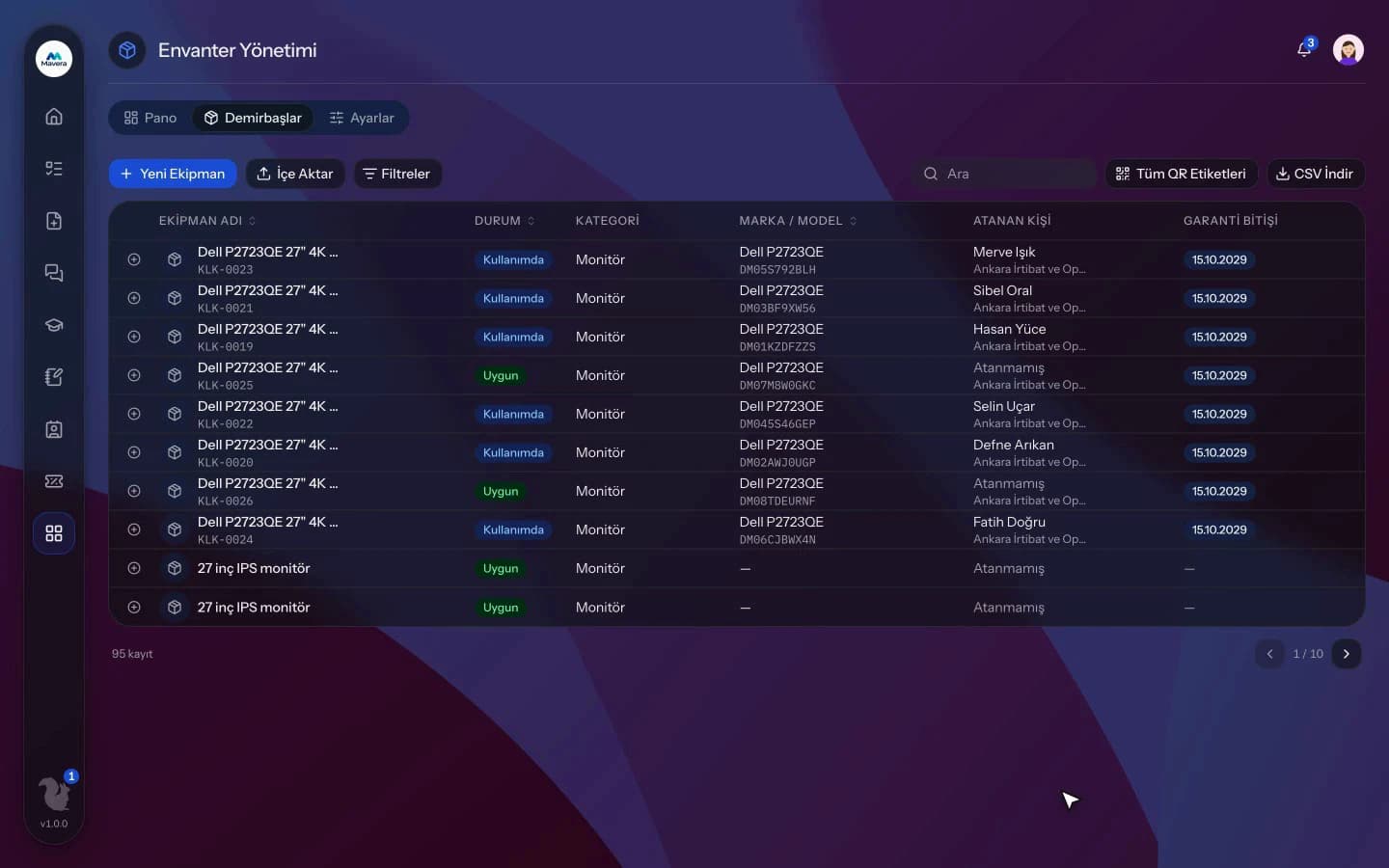
Assets are registered with QR labels, assigned to employees and tracked through maintenance and warranty; who has a device and its history are always visible.
Inventory Management
How It Works
Register and label
Assets come in by hand, from CSV or from purchasing, and a QR label is printed.
Assign
The asset is assigned to an employee, who confirms receipt.
Maintain and track
Maintenance and repairs are logged, warranty expiry is flagged and assets can be retired.
Features
What You Can Do
- Keep records with asset number, brand, model, serial number, purchase details, warranty, location and photo.
- Print QR labels one by one or as A4 sheets (PDF); scanning the QR opens the record.
- Assign and take back assets; employees confirm receipt with "Confirm Assignment".
- Employees see their own assigned assets.
- Log maintenance and repairs with type, service provider, cost and duration.
- Managers are alerted 30 days before warranty expires.
- Bulk import from CSV and export to CSV.
- Assets with an open repair or an open IT request are flagged as faulty.
- The History tab shows assignment, maintenance and disposal movements.
- Filter by status, category, location, assignee, date and amount.
Common Questions
In Kolekto's Inventory Management module, QR labels for assets are generated one by one or in bulk as a PDF sheet with 24 labels per A4 page. Scanning a label opens the asset's record for a signed-in authorized user, where assignment, maintenance and movement history can be followed.
In Kolekto's Inventory Management module, repair, service or upgrade records are added to each asset with service provider, start and end dates, cost and description. Inventory managers are notified 30 days before a warranty expires, and an asset with an open repair or an open IT request is flagged as faulty.
Assets are registered with brand, model and serial number; they are assigned to employees and kept with their full history on return. You can always see who holds an asset and who held it before.
Access is role-based: only those with HR module permission see employee records, and every employee can access their own. Critical actions are written to the audit log, so who viewed and changed what is traceable.
We migrate your employee list and org structure with you during onboarding, and employees join by email invitation. In CRM you can also import companies and contacts from a CSV yourself: map your columns to fields, preview the rows and skip duplicates.
Start running your company from one place.
In the demo call we agree on your needs and the modules to enable.
Request a DemoContact Us