

Management and Strategy
Process Management
Design your own approval and work flows on a drag-and-drop diagram; requests reach the right person, overdue steps are reassigned and bottlenecks show in reports.
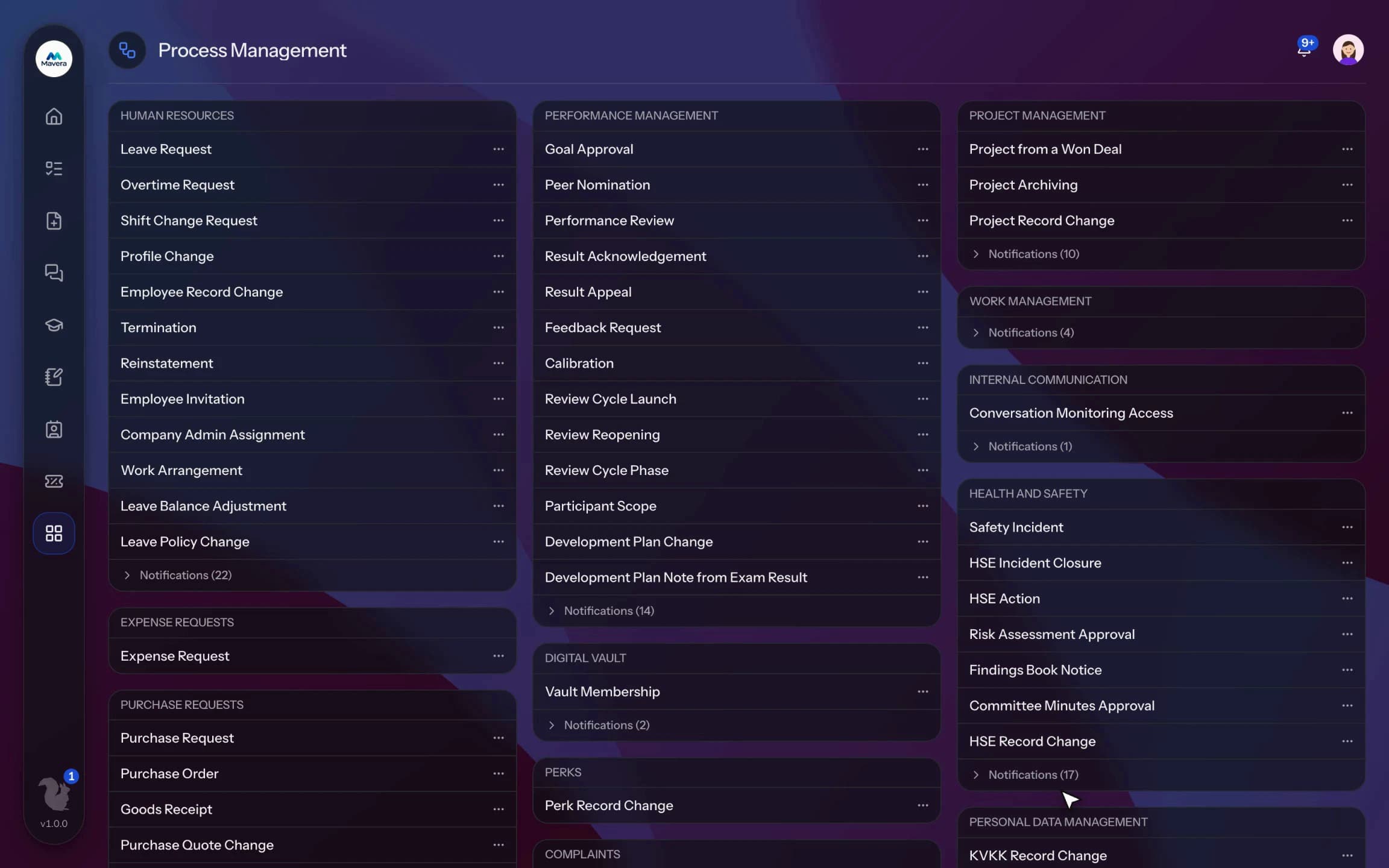
Process Management
How It Works
Pick the flow
Open the approval or notification flow you want to change from a list grouped by module.
Design and test
Lay out the steps on the diagram and test it on behalf of an employee to see who gets the request.
Publish and monitor
Publish now or on a future date, then follow it with step and bottleneck reports.
Features
What You Can Do
- Design the flow on a diagram with approval, task, condition, parallel, wait, automatic action and notification steps.
- Choose approvers by reporting line, a named person, a module role, the department head, a title holder or the requester's choice.
- Build conditional branches on amount, number of days, category, location or work type.
- Choose whether everyone must approve, one is enough or K people must approve.
- Add time limits and reminders; when time runs out the task is reassigned, rejected or approved automatically.
- If an approver is on leave, the task goes to their manager or a backup approver.
- Test the flow on behalf of an employee before publishing; the request form shows the same approval preview.
- Publish a draft now or with an effective date and compare versions; running requests finish on their own version.
- Pool tasks go to whoever claims them first; a task can be sent back to the requester for correction.
- Get average, median and p90 waiting time per step, the SLA breach rate and a bottleneck report.
Common Questions
Yes. In Kolekto's Process Management module you run a draft flow on behalf of an employee you choose; the preview shows which steps the request will pass through, who receives it at each step, and who stands in for an approver on leave. The same approval preview also appears on the request form.
Yes. In Kolekto's Process Management module you choose an "all must approve", "any one is enough" or "at least K must approve" rule for each approval step. Parallel steps run separate approver groups at the same time, and conditional branches route requests by amount, number of days, location or work type.
Yes. In Process Management, approval, task, notification and SLA steps are laid out on a drag-and-drop diagram. Every definition is versioned: drafts are kept apart, a new version goes live on the date you schedule and the old one stays in history. When time runs out a step can escalate to the manager; running processes and bottleneck reports are tracked in the same module.
Each organization designs its own approval flows in Process Management: approval, task, notification and escalation steps are laid out per request type in the drag-and-drop designer, with no limit on the number of levels. Approvers are derived from the org chart: the reporting line, the department head, a title holder or a permission chain. If an approver is on leave, their delegate, their manager or a backup approver steps in; an overdue step is escalated by its SLA rule. Every step shows in the progress indicator and in the user activity log.
Pending approvals, resolved requests and new assignments are delivered both in-app and by email. Employees track the stage of their request from their panel.
Start running your company from one place.
In the demo call we agree on your needs and the modules to enable.
Request a DemoContact Us