

Operations
Project Management
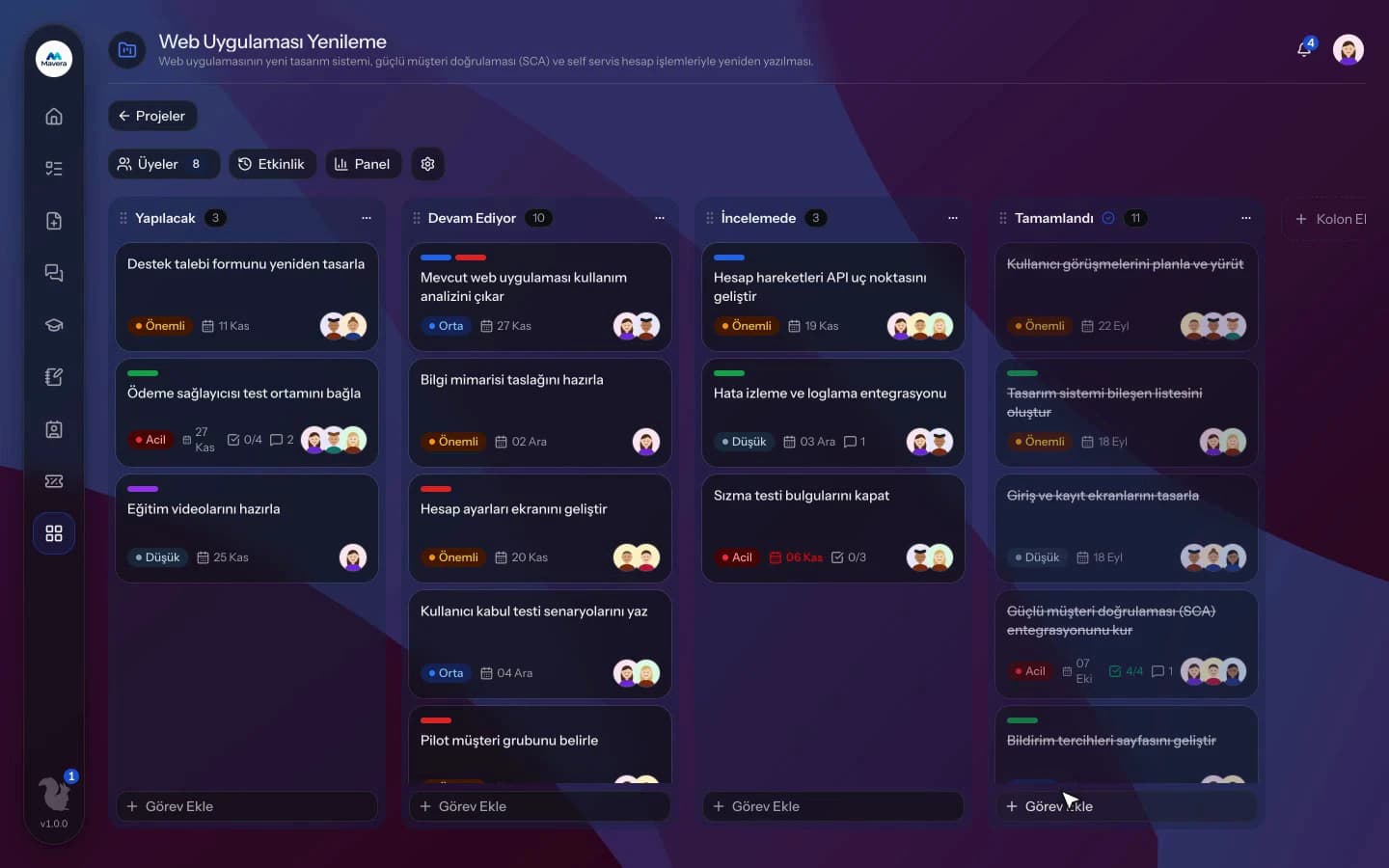
Drag tasks forward on the project board; owners, checklists, comments and files sit together and overdue work is visible at a glance.
Project Management
How It Works
Set up the project
Pick a category and add members; the project opens with To Do, In Progress and Done columns.
Manage tasks
Create tasks, assign people and drag them forward; add comments, files and checklists.
Monitor
Track delays and workload with the project dashboard and the All Tasks list.
Features
What You Can Do
- Add and move columns and drag tasks on a Kanban board.
- Tasks have a title, description, due date and 4 priority levels.
- Assign several people to a task.
- Add checklists, labels and file attachments.
- Mention project members with @ in comments to notify them.
- Tasks moved to the Done column are completed automatically.
- Filter the All Tasks list by status, due date, assignee, project and category.
- The dashboard shows open and overdue tasks, average time, workload and category breakdown.
- Daily reminders go out for upcoming and overdue tasks.
- Assigned tasks appear in the person's Work Management list; projects can be archived.
Common Questions
In Kolekto's Project Management module, a check that runs every morning sends a reminder to the assignees of open tasks that are due the next day or already past their due date. The upcoming and overdue reminders are each sent once for the same due date, and completed tasks get no reminder.
In Kolekto's Project Management module, a task automatically appears in the personal task list and calendar of the Work Management module for each person assigned to it. When the title, due date or priority changes in the project, that entry is updated and its status follows the project task; when a person is removed from the task, it disappears from their list.
Yes. Project Management gives you a Kanban board: columns, draggable task cards, multiple assignees, checklists, labels, comments and attachments. The project dashboard shows open and overdue tasks and workload at a glance.
Pending approvals, resolved requests and new assignments are delivered both in-app and by email. Employees track the stage of their request from their panel.
Kolekto runs in the browser and is fully responsive; use it from phone, tablet or desktop with no installation. Employees open leave requests from their phone, managers approve from theirs.
Start running your company from one place.
In the demo call we agree on your needs and the modules to enable.
Request a DemoContact Us